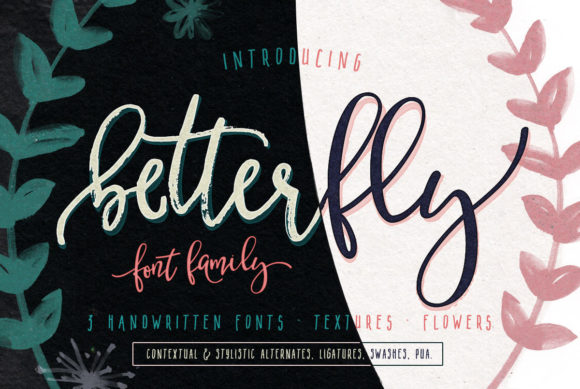
Faithful: Why This Brush Script Font Deserves a Spot in Your Toolkit
You’ve seen brush scripts used everywhere—from coffee shop logos to wedding invitations, social media graphics to product packaging. They bring energy, warmth, and a handcrafted feel. But not all brush fonts are created equal. Some are too erratic, too rough, or simply lack the polish that makes a design look intentional. That’s where Faithful comes in. This brush script font is exactly what its name suggests: a typeface you can depend on for consistent performance across a wide range of projects. Whether you’re a seasoned designer or a small business owner taking a DIY approach, understanding how to use Faithful effectively can save you time, money, and a lot of frustration.
But even a reliable tool can be misused. Many people jump into using a brush script font without thinking about context, readability, or the subtle details that separate a professional-looking design from one that feels amateurish. In this article, we’ll walk through common mistakes people make when choosing and using Faithful, and more importantly, how to avoid them. By the end, you’ll have a clear picture of when to reach for Faithful, when to pair it with something else, and how to get the most out of every download.
What Makes Faithful Different?
Before diving into the pitfalls, it helps to know what Faithful brings to the table. Unlike many brush fonts that feel rushed or uneven, Faithful offers a balanced stroke width, controlled ink splashes, and a natural flow from letter to letter. It’s a display font first and foremost—meant to grab attention—but its consistent baseline and carefully designed alternates give it an approachable elegance. That reliability is rare in brush scripts, which often sacrifice readability for flair. Faithful manages to deliver both, which is why it’s become a go-to choice for branding, headlines, and short quotes.
Mistake #1: Treating It Like Any Other Font
The biggest error I see is people downloading Faithful and immediately dropping it into body text or long paragraphs. They assume that because it looks beautiful on the sample page, it will work just as well in a block of copy. That’s a recipe for eye strain. Brush scripts, including Faithful, are designed for impact at larger sizes—think 36 points and above. When you shrink it down for a paragraph, the strokes lose definition, the swashes become muddled, and readers have to work too hard to decipher the words.
Better approach: Reserve Faithful for headings, subheadings, pull quotes, logos, or short callout text. If you need a companion for body copy, pair it with a clean sans-serif like Open Sans or a serif like Lora. The contrast will let Faithful shine where it belongs, while the simpler font ensures readability. Many designers also use Faithful for a single word or short phrase in a larger layout—a technique that creates a focal point without overwhelming the page.
Mistake #2: Overlooking Licensing and Usage Rights
This mistake is more common than you’d think, especially among hobbyists and small business owners who source fonts from free download sites. Faithful is available under various licenses depending on where you obtain it—some are free for personal use, others require a commercial license for any profit-generating project. I’ve seen entrepreneurs use a personal-use version for their product labels, only to receive a cease-and-desist letter later. That not only costs money but also erodes trust with your audience if you have to scramble to redesign materials.
Better approach: Before you download, confirm the license terms. If you’re buying Faithful from a reputable foundry, check whether the license covers web use, embedding in apps, or merchandise. Many foundries offer tiered licenses—desktop, web, app, and broadcast. If you’re a freelancer working on client projects, a standard desktop license typically covers your work. But if you’re selling templates or digital products, you may need an extended license. A few extra dollars upfront can save you from legal headaches and last-minute redesigns. Always keep a copy of the license file in your project folder.
Mistake #3: Forgetting to Test Readability at Different Sizes
Faithful has a beautiful, flowing rhythm, but not every weight or style works equally well at every size. Some users grab the bold version and use it at 24 points for a social media graphic, then wonder why the text feels cramped. Others use the regular weight at 48 points and find the ascenders and descenders collide with neighboring elements. These issues often come down to a lack of testing—or worse, testing only at one size on one screen.
Better approach: Always preview Faithful at the actual size and medium you plan to use. On-screen, check how it renders on different devices—what looks great on a 27-inch monitor might appear muddy on a phone screen. For print, pull a physical proof. Pay attention to tracking (letter spacing) and leading (line spacing). Brush scripts often need a little extra breathing room because of their tapered strokes. If you’re using Faithful for a logo, test it scaled down to a favicon size—if the thinner strokes disappear, you may need to use the bold version or adjust spacing. A few minutes of testing here can prevent a project from looking unprofessional.
Mistake #4: Ignoring Context and Audience
Faithful’s handcrafted vibe fits perfectly with rustic, organic, or vintage themes. But not every brand or message benefits from that aesthetic. I’ve seen marketers try to force a brush script into a corporate financial report or a medical brochure—places where clean, neutral typography would serve the message far better. The result is a jarring disconnect between what the text says and how it looks. Readers may subconsciously distrust the content because the visual tone doesn’t match the subject matter.
Better approach: Before using Faithful, ask yourself: Does this font reinforce my message? If you’re promoting a handmade product, a cozy café, or a creative workshop, brush script adds warmth. If you’re presenting data or formal instructions, stick with a more neutral typeface. Faithful isn’t a one-size-fits-all solution, and that’s okay. Part of being a thoughtful designer is knowing when a font helps and when it hinders. For mixed-use projects, consider using Faithful in a headline or logo mark while pairing it with a simpler font for the body—this lets you capture the personality without sacrificing clarity.
Mistake #5: Using It Without Exploring Alternate Characters
One of Faithful’s strongest features is its set of alternate glyphs—swash capitals, ending flourishes, and stylistic variants that let you customize the look. But many users never open the glyph panel. They type their text and accept whatever default letter forms appear. That’s a missed opportunity. The default characters are still beautiful, but the alternates can solve common problems like awkward letter collisions or repetitive shapes in repeated letters.
Better approach: In any design software that supports OpenType features, take the time to browse Faithful’s alternates. For example, if you’re writing a word that starts and ends with the same letter, you might want a different initial and final form. Or if two letters in the middle clash (like “f” and “i” in many brush scripts), the alternates can smooth the connection. Many designers create multiple versions of a logo by trying different alternates until the flow feels right. This small step can elevate your work from “nice” to “customized and intentional.”
Practical Checks Before You Commit
By now you’ve seen that using Faithful effectively isn’t complicated, but it does require a bit of forethought. Let’s bring that together into a quick checklist you can run through before you finalize any project that uses Faithful:
- Confirm the license matches your use case—personal, commercial, or extended.
- Test at actual size on the device or medium where it will be seen.
- Pair with a neutral font for body text or secondary elements.
- Adjust tracking and leading to avoid cramped or overlapping strokes.
- Explore alternates to solve awkward letter combinations.
- Consider your audience—does Faithful’s personality serve your message?
- Keep a backup generic script font in case a client or platform doesn’t render Faithful correctly.
Following these checks will help you avoid the most common frustrations and ensure that your use of Faithful feels polished, not forced.
A Final Thought on Relying on Faithful
There’s a reason this font earned its name. Faithful delivers what many brush scripts promise but fail to sustain: consistency, charm, and usability across varied applications. But like any tool in your creative arsenal, it performs best when you understand its strengths and limitations. By sidestepping the mistakes we’ve covered—misusing it in body text, ignoring licensing, skipping readability tests, mismatching contexts, and neglecting alternates—you’ll not only save yourself rework but also create work that communicates clearly and resonates emotionally.
When you treat Faithful with the same care you would any professional resource, it becomes the ally you can always count on. Next time you’re reaching for a brush script, give Faithful a try—but do it with intention. Your audience will notice the difference, and your projects will thank you.