Cleopatra: A Stunning Modern Calligraphy Font That Demands Careful Use
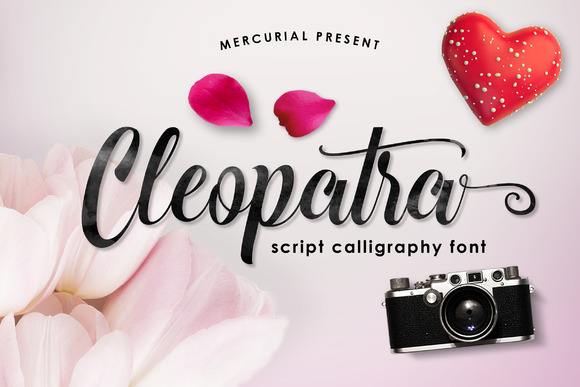
If you have spent any time browsing font libraries, you have probably come across a typeface called Cleopatra. It is frequently described as elegant, smooth, and deeply inspired by the modern calligraphy tradition. And those descriptions are accurate. Like the pharaoh it is named after, this font carries a sense of regal beauty and refined charm. But here is something that surprises many people: a font that looks beautiful on a preview page can easily become a liability in a real project if you do not understand how to handle it. Cleopatra is a true gem, but it is also a font that rewards deliberate, thoughtful use. Let me walk you through what makes it special and, more importantly, how to avoid the common pitfalls that trip up everyone from beginners to experienced designers.
Understanding What Cleopatra Really Is
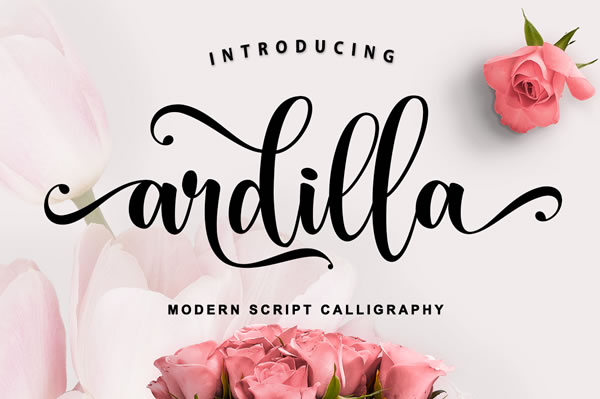
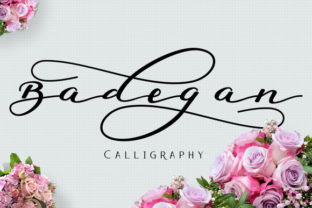
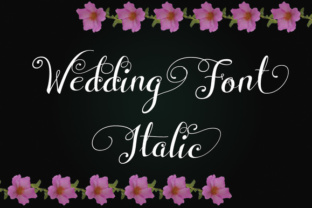
At first glance, Cleopatra appears to be just another pretty calligraphy font. The letters are smooth, flowing, and undeniably elegant. But there is more to it than that. This font is designed in a true modern calligraphy style, which means it mimics the natural variations in stroke width that come from a flexible nib pen. The thick downstrokes and light upstrokes give it a handcrafted feel that many digital fonts lack. That is part of why people are drawn to it. It feels personal, warm, and artistic.
But here is where the misunderstanding often begins. Many people assume that because Cleopatra looks like handwriting, it will work anywhere that handwriting might be used. That is not quite right. Modern calligraphy fonts like Cleopatra carry a strong personality. They dominate a layout. They demand attention. And when used incorrectly, they can make a design feel chaotic, hard to read, or even amateurish. The key is to see Cleopatra for what it is: a specialty font that shines in specific contexts and needs to be paired with restraint.
Mistake Number One: Using Cleopatra for Long Passages of Body Text
This is the most frequent error I see. Someone discovers Cleopatra, falls in love with the way it looks, and then uses it for an entire paragraph or, worse, several paragraphs of text. The result is almost always a mess. Calligraphy fonts are designed to be decorative, not functional, for extended reading. The very features that make Cleopatra beautiful—the varying stroke widths, the flourishes, the irregular letterforms—create fatigue when read at length. Readers have to work harder to decode each word, and after a few lines, they give up.
The better approach: Reserve Cleopatra for short, impactful uses. Headings, subheadings, pull quotes, single words, or short phrases are ideal. If you need body text, pair Cleopatra with a clean, neutral font like a simple sans-serif or a classic serif. The contrast will make both fonts look better, and your message will remain readable.
Mistake Number Two: Ignoring Font Weight and Size
Cleopatra has a natural elegance, but that elegance disappears if you use it at the wrong size or weight. At very small sizes, the delicate strokes can become nearly invisible, especially in digital formats or when printed on uncoated paper. The thin upstrokes fade, and the font loses its character. At very large sizes, some letter combinations might look unbalanced or overly dramatic.
What to check before using it: Test Cleopatra at the actual size it will appear in your final product. Look at it on screen and, if possible, on a print proof. Adjust the size until the stroke contrast feels balanced. If you are using it for a headline, make sure the larger letters still feel refined, not heavy or clumsy. Many experienced designers will also adjust letter spacing slightly when using Cleopatra at display sizes, because the default spacing that works well at medium sizes can feel too tight or too loose when scaled up.
Mistake Number Three: Overlooking Readability in Context
Readability is not a fixed quality. It depends on context. A font that looks perfectly readable on a white background might become illegible on a busy image or a dark background. Cleopatra, with its thin strokes in places, is particularly vulnerable to this problem. I have seen many projects where someone placed Cleopatra text over a scenic photograph or a patterned background, and the words simply disappeared into the noise.
Practical advice: Always check your font against the background you plan to use. If you need to place Cleopatra over an image, consider adding a subtle background shape, a drop shadow, or an overlay to ensure contrast. Light text on a dark background can work, but test it carefully. The thin parts of the letters may need a slightly heavier font weight or a touch of added thickness to remain visible. Do not assume the font will handle itself. It needs your help to perform well.
Licensing and Download Mistakes That Cost Time and Money
One of the most overlooked details when people get excited about a font like Cleopatra is the license. Many free versions of calligraphy fonts come with restrictions. You might be allowed to use it for personal projects but not for commercial work. Or the free version might include a limited character set, missing the punctuation or special characters you need for your project.
What you should check before downloading: Read the license agreement carefully. Look for terms like "personal use only," "commercial use," "number of users," and "embedding rights." If you are a freelancer or small business owner creating branded materials, you almost certainly need a commercial license. Some fonts also restrict use in specific mediums, like merchandise or digital products. Do not guess. A single font license violation can lead to a takedown notice or a legal headache that far exceeds the cost of the license itself.
Another common trap: downloading a font from an unverified source. Free font websites sometimes host modified or incomplete versions of popular fonts. The character spacing might be off, some letters may be missing, or the file could contain malware. Stick to reputable font foundries, trusted marketplaces, or the original designer's site. A few extra minutes of research can save you hours of troubleshooting later.
Mistake Number Four: Pairing Cleopatra with the Wrong Second Font
Cleopatra is a strong voice. It needs a partner that supports rather than competes. The most common pairing mistake is using two decorative fonts together. When you combine Cleopatra with another script or a highly stylized serif, the result is visual noise. Neither font stands out because they are both trying to lead.
A better pairing strategy: Choose a second font that is deliberately plain and neutral. A clean sans-serif like Helvetica, Lato, or Open Sans works beautifully. The contrast between the flowing calligraphy and the straightforward sans-serif creates a professional, balanced look. If you prefer a serif, choose one with a quiet personality, like Garamond or Times New Roman. The goal is for Cleopatra to be the star and the other font to be the supporting cast. When both fonts compete, the viewer loses focus on the content.
Mistake Number Five: Forgetting About Kerning and Letter Spacing
Calligraphy fonts often come with built-in ligatures and contextual alternates that automatically replace certain letter combinations with more graceful versions. That is a great feature, but it does not guarantee perfect spacing. Cleopatra, like many script fonts, can have uneven gaps between letters depending on the specific combination. For example, a letter like "r" followed by "n" might look cramped, while "o" followed by "w" might feel loose.
How to handle this: After you place your text, zoom in and check the spacing between every pair of letters. Adjust kerning manually where needed. Most design software allows you to adjust letter spacing for individual pairs or for the whole text block. A small, consistent adjustment of +5 or +10 to tracking can sometimes solve spacing issues across a headline. Do not assume the font's default settings are optimal for your specific words. They are rarely perfect for every combination.
Practical Examples: Before and After
Let me give you a realistic example. Imagine you are designing a wedding invitation. You want to use Cleopatra for the couple's names, which is a perfect choice. A common mistake would be to also use Cleopatra for the event details like date, time, and location. That would make the invitation hard to read and visually cluttered. A better approach: use Cleopatra for the names only, then switch to a clean sans-serif for the details. Add a subtle line or ornament to separate the two sections. The result is elegant, readable, and professional.
Another example: a social media graphic for a motivational quote. The temptation is to set the entire quote in Cleopatra because it looks artistic. Instead, use Cleopatra for the key word or phrase that carries emotional weight, and use a neutral font for the rest of the quote. The contrast gives the viewer a clear visual hierarchy. They know what to read first and what to feel.
What to Check Before Committing to Cleopatra
Before you finalize a project using Cleopatra, run through this quick checklist. First, confirm that the license matches your intended use. Second, test readability at your actual output size and on your chosen background. Third, check letter spacing and kerning for every word, especially in headlines. Fourth, verify that the font includes the characters you need, such as accented letters, numbers, and punctuation. Fifth, test your font pairing with a sample of your actual content, not just placeholder text. These five checks take only a few minutes but can prevent the vast majority of usage problems.
Cleopatra is a beautiful font that can elevate your designs when used with intention. But like any strong design element, it requires restraint and awareness. The people who get the best results from Cleopatra are not those who use it the most. They are those who use it the most deliberately. They understand that a little bit of elegance goes a long way, and that the empty space around a beautiful font is just as important as the font itself.
Take the time to learn how Cleopatra behaves in your specific context. Test it, adjust it, and pair it thoughtfully. When you do, this font becomes a genuine asset to your creative toolkit. And yes, it is absolutely worth adding to your collection if you approach it with the respect and care it deserves.